
- From your device, access BambooHR and navigate to Company Links. Click on Time Clock Remote Access. Or, you can use a web browser and go to: https://goodearthpest.myfirewall.xyz:16443/login.html
- Bookmark this page for later use.
- You may receive a message that the connection is not private (false). Click show details. Then click visit website.
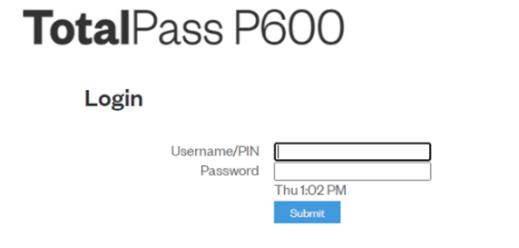 You should be at a login screen that looks like this:
- Enter your username and password (your 4-digit code for both).
- Click submit.
- If you get the option to save username and password, do that now.
- Click where it reads PUNCH IN. If you are already clocked in, it should give you the option to PUNCH OUT.
- Log Out.
If you ever run into technical issues, you can always fall back on messaging in WhatsApp to have someone clock you in or out from the office.